Transcripts · Channels · Apify
How to Download Every Transcript from a YouTube Channel on Apify
Get a whole YouTube channel or playlist's transcripts in one Apify run: input, formats, what it costs per 1,000 videos, the free-plan limit, and our own timed run of 100 videos.
· 5 min read · YTAPI
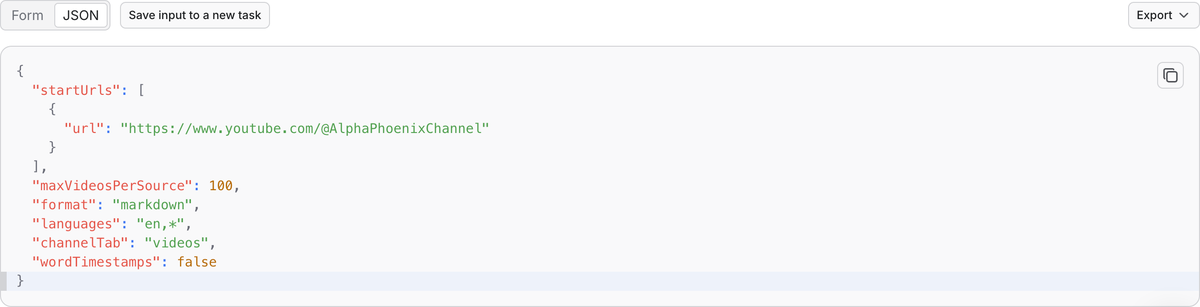
On Apify, paste a channel or playlist URL into YouTube Transcript Scraper, set how many videos to take (up to 5,000 per channel or playlist), pick a format, and start the run. Each video becomes one dataset row with its transcript. You pay $2.90 per 1,000 transcripts on Apify's Free and Starter plans, less on Scale and Business, and nothing for videos that have no captions. Apify's free plan delivers at most 100 transcripts per run.
We make YTAPI and we publish this Actor on Apify; it runs on the same transcript service as ytapi.dev. The numbers below come from our own run on November 16, 2026. Apify plan details are from Apify's pricing page as of the same day.
When Apify is the right place
- Your data already lives in Apify. Transcripts land in a dataset next to your other scraped data, and you export it as JSON, CSV or Excel.
- You want a schedule. An Apify schedule can pull a channel's newest videos every day or week without code.
- You'd rather not hold another API key. You pay through your Apify account.
If you want a zip of files (one Markdown, TXT or SRT file per video plus an index), use the channel export on ytapi.dev instead. If you're writing code, the YTAPI API is synchronous and doesn't need a run to start and finish. Our comparison of seven bulk download tools covers the other options.
Step by step
- Open YouTube Transcript Scraper and click Try for free. You need an Apify account; the free plan works.
- Under Videos, channels or playlists, paste one or more of:
- a channel URL,
@handleor channel ID (UC...); - a playlist URL or ID (
PL...); - single video URLs or 11-character video IDs.
- a channel URL,
- Set Max videos per channel or playlist. The Actor takes the newest videos first, up to 5,000 per source. For Shorts instead of regular videos, set Channel tab to
shorts. - Choose a Transcript format:
text,markdown,srt,vttorsegments(JSON with start times). Withsegmentsyou can also turn on Word-level timestamps. - Optional: under Preferred languages, list the languages you prefer, for example
en,*(English if the video has it, otherwise the language spoken in the video). - Click Start. When the run finishes, open the Output tab and export the dataset.
Each row has the video ID, URL, status, caption language, whether the captions are the creator's (manual) or YouTube's auto-generated ones (asr), and the transcript. Videos without a transcript are listed too, with a status of no_captions, unavailable or failed and a reason, so you can see what's missing.
Our test: 100 videos from one channel
On November 16, 2026, we ran the Actor on the newest 100 videos of AlphaPhoenix, a physics channel, with Markdown output and languages en,*. None of these videos was in our cache, so every transcript came straight from YouTube.
| AlphaPhoenix run | Result |
|---|---|
| Videos | 100 |
| Run time | 9 seconds |
| Transcripts | 91 (about 219,000 words) |
| No captions on YouTube | 9, not charged |
| Failed fetches | 0 |
| Charged | 91 transcript events plus one run start |
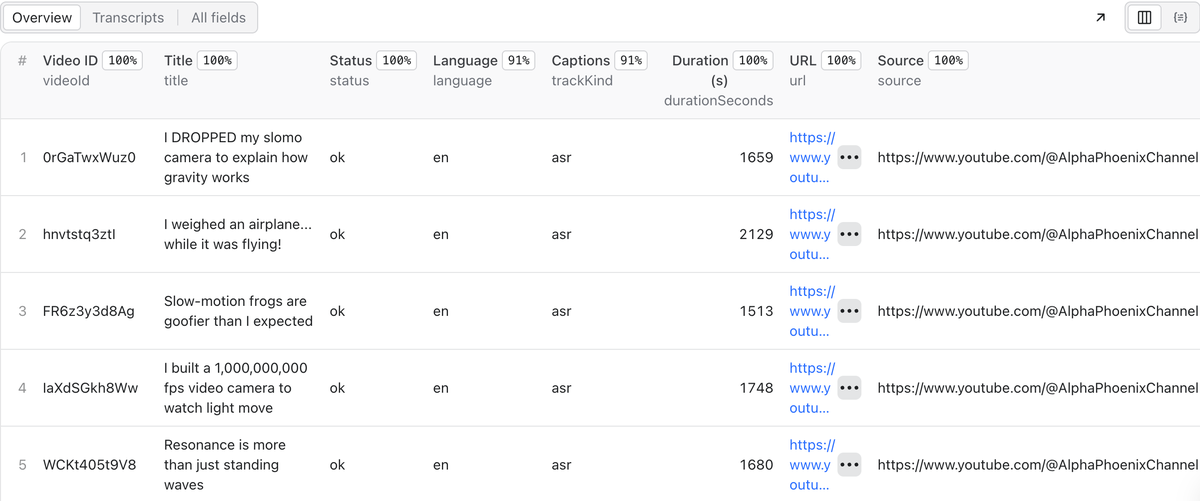
All 91 transcripts were YouTube's auto-generated captions, since the channel doesn't upload its own. Six of them came back in Spanish, Korean, Dutch or Vietnamese: they are short timelapse and slow-motion clips with music and no speech, and YouTube's speech recognition guessed the language from the noise. The transcripts of those clips are mostly [Music] tags. Expect this on any channel with music-only videos.
A larger channel takes longer, since every video is a separate fetch, but runs stay in the minutes rather than hours. The Actor's default timeout is one hour.
What it costs
You pay per transcript delivered, at the price for your Apify plan:
| Apify plan | Per 1,000 transcripts | A 5,000-video channel |
|---|---|---|
| Free | $2.90 | Not possible in one run (100 max) |
| Starter | $2.90 | $14.50 |
| Scale | $2.25 | $11.25 |
| Business | $1.60 | $8.00 |
Each run also has a start event of $0.00005. Apify's compute for the run is included; you don't pay it on top. Videos without captions, unavailable videos and failed fetches cost nothing.
Apify's free plan comes with $5 of usage a month, enough for about 1,700 transcripts at $2.90 per 1,000, spread over runs of up to 100. On a paid plan there is no per-run limit beyond the 5,000 videos per channel or playlist. You can also set Maximum cost per run in the run options; the Actor stops cleanly when it reaches that amount and doesn't charge for videos it didn't deliver.
Limits
- No captions, no transcript. The Actor reads YouTube's captions. It doesn't transcribe audio, so videos without captions come back as
no_captions. - Newest first, 5,000 per source. For a channel with more videos than that, you get the newest 5,000.
- Music-only videos can come back in the wrong language with little text, as in our test.
- Live streams have a transcript only after the stream ends and YouTube has processed it.
Using it from code
Apify's API can start the Actor and return the dataset in one call. With your Apify token in APIFY_TOKEN:
curl -X POST "https://api.apify.com/v2/acts/ytapi~youtube-transcript-scraper/run-sync-get-dataset-items?token=$APIFY_TOKEN" \
  -H "Content-Type: application/json" \
  -d '{"startUrls":[{"url":"https://www.youtube.com/@AlphaPhoenixChannel"}],"maxVideosPerSource":100,"format":"text"}'
This waits up to five minutes, which is enough for a few hundred videos. For larger channels, start the run and fetch the dataset when it's done; Apify's API docs describe both.
If you're writing code anyway and don't need Apify, the YTAPI transcript API returns each transcript directly, and our pricing starts at $9 for 2,000 credits.
Published November 17, 2026. Apify plan prices are from Apify's pricing page as of that date and may change. Tell us at [email protected] if something here is out of date.